
Thanks for the input / assistance – I was able to modify the K-12 Online Conference video podcast feed (using FeedForAll software) so that m4v presentations now show up as they should in the channel and in iTunes.
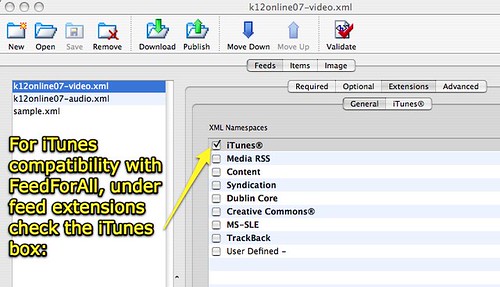
This required checking the iTunes box under “extensions” for the video feed:
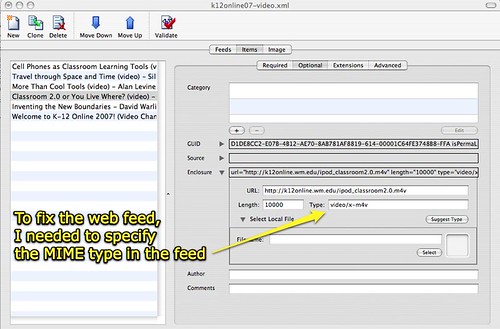
Once that was selected, I had to enter four additional pieces of information into the item feed details. The key item which corrected the problem of m4v files not showing up was setting the MIME type. To do this, I clicked “suggest type” and FeedForAll automatically inserted the correct XML code:
The result? The K12Online07 video podcast channel should now refresh for you in iTunes! Beware that I do not have the exact durations and file sizes of all presentations at this point when I’m creating the feeds, so I’m inserting some generic numbers for many presentations. This will not affect your ability to download episodes, however, and once downloaded iTunes (or another podcatching software program you’re using) should show the correct duration and filesize.
Technorati Tags:
k12online07
Note: As of 1 Oct 2026, this is a FULL STATIC COPY of all 6,390 posts shared on this blog since 2003. Updated content and ideas from Wes Fryer are still available!