
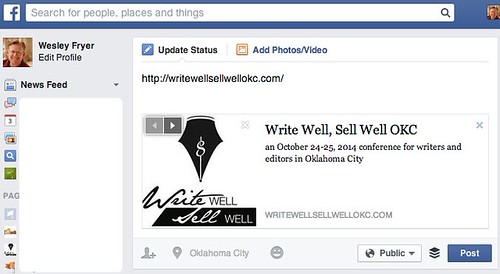
This is a somewhat geeky fix I’ll pass along in case you run into something similar. I recently updated the “Write Well, Sell Well” Conference website with our October 24-25, 2014 details, but for some reason when anyone shared the website on Facebook the OLD conference details were presented. I figured out how to fix this so the correct and updated information and image are now displayed.

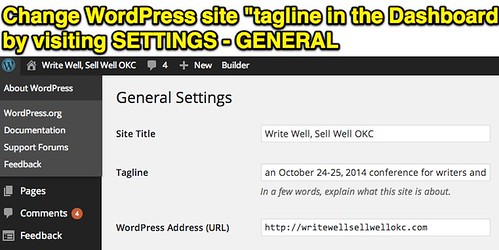
I thought this would simply be a matter of changing the site tagline in WordPress, which can be accessed from the administrative “dashboard” by clicking SETTINGS – GENERAL.
This did NOT fix the problem, however, so after a bit of Google research I found the free WordPress plugin WP Open Graph. I learned a bit about Open Graph too:
The Open Graph protocol enables any web page to become a rich object in a social graph. For instance, this is used on Facebook to allow any web page to have the same functionality as any other object on Facebook.
In WordPress with this plugin, you can specify the desired default sharing image along with your site title and tagline / byline.

This STILL did not fix the problem in Facebook, however, the old site information continued to be displayed. More Googling brought me to this StackOverflow article, which recommended using the official (and web-based) Facebook Developers Debugger tool. By putting the website URL into it, it seemed to “flush the cache” of saved site information on Facebook, making the correct site tagline details for 2014 display in Facebook when the web link is shared.
Whew.
If you have other insights into this issue please chime in with a comment. I may not have needed to install the WP Open Graph plugin to get this to work, I suspect the Facebook debug page was the key. The Open Graph plugin feature of specifying the image to to share by default is handy, however, and I may try using this on other WordPress websites I maintain. Facebook, Google Plus, Pinterest, and other social media websites are (I think) all using Open Graph code to “grab” images to include when links are shared. I’m glad to learn a BIT more about how this works thanks to this troubleshooting rabbit trail today.

Technorati Tags: blog, howto, image, tutorial, wordpress, facebook, opengraph, open, graph, debug, troubleshoot, fix
Note: As of 1 Oct 2026, this is a FULL STATIC COPY of all 6,390 posts shared on this blog since 2003. But updated content and ideas from Wes Fryer are still available! Visit wesfryer.com/after for a complete list of my current social channels and websites where I share!