
This evening our son bridged up from Cub Scouts to Boy Scouts and earned his Arrow of Light Award. Before the ceremony began, however, I realized it might be wonderful to audio-record the event to share it with grandparents as well as archive it for our own enjoyment later. The problem was I had forgotten to bring my Olympus WS-110 portable digital audio recorder to the ceremony!
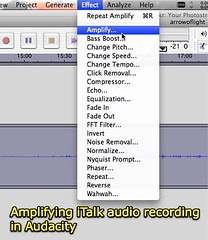
I remembered that I’d installed the free Griffin iTalk application on my iPhone, however, and although I had not used it before tonight I thought it might be able to save the day. It did work to record the ceremony, and with some amplification in Audacity the resulting final recording (which I uploaded to edublogs.tv) is pretty reasonable. Most of this recording was made from my seat in the 2nd row of the church sanctuary where this ceremony was held.
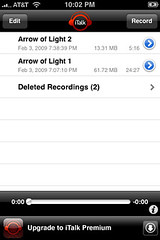
iTalk is very easy to use on an iPhone, simply press the record button to start and stop the recording process. Files can be named as desired. This is how recordings look on the iPhone after they have been saved:
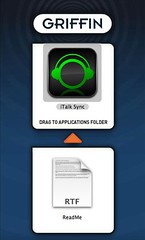
To transfer recorded iTalk audio files to your computer, it is necessary to download and install the free iTalk iSync application.
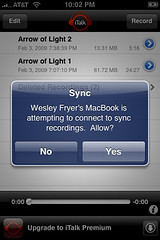
To transfer files, open the iTalk application on your iPhone and then open the iTalk iSync program on your computer. Both your iPhone and computer must be connected to the same WiFi network. The iTalk iSync application scans the network and finds any iPhones which are connected and running iTalk. After double clicking the name of the iPhone, a confirmation prompt is displayed on the iPhone:
If you click YES to this prompt, the iPhone and the computer are connected and ready for transfers:
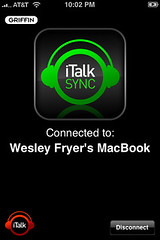
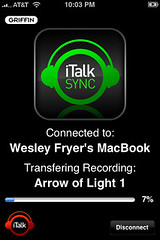
It is then possible to drag audio files from the iTalk iSync application to different locations on your computer’s hard drive. The files (in AIFF format) copy over to your computer relatively quickly, about as fast as they would with a wired, direct USB connection.
It is FANTASTIC to have this type of recording ability on my iPhone, wherever I go. I almost called Gabcast and used its recording functionality tonight for the ceremony, but it proved even easier to use the iTalk application since it didn’t require a phone call which could potentially be “dropped” or otherwise interrupted.
Have you had positive or negative experiences using the iTalk iPhone application, or just the built-in speakerphone recording option on a different cell phone model?
Technorati Tags:
italk, isync, iphone, audio, audacity, podcasting, record
If you enjoyed this post and found it useful, subscribe to Wes’ free newsletter. Check out Wes’ video tutorial library, “Playing with Media.” Information about more ways to learn with Dr. Wesley Fryer are available on wesfryer.com/after.
On this day..
- The Council of Constance and Modern Web – 2021
- American Revolution Videos from Schoolhouse Rock and Discovery United Streaming – 2014
- Hacker Cases Highlight Need for Greater Personal Account and Information Security – 2014
- Cross Examination Debate Flow Template for Numbers in iWork ’09 – 2012
- Teach Your Students to be Digital Artists (and learn from Kevin Honeycutt) – 2012
- Blog comment moderation: How and Why? – 2010
- Crescent Public Schools: The Eyes of Oklahoma Are Upon You! – 2010
- Present at OSSBA in August 2010 – 2010
- eDiscovery requirements and archiving student email – 2010
- Comparing Broadband USB Options for Laptops – 2009
Comments
5 responses to “iPhone iTalk Application: A Great Event Recorder”
Wesley,
Congratulations to you and your son on this great accomplishment!
I wear my Arrow of Light award on my uniform every time I put it on. Tell your son the AOL patch looks great right next to the Eagle Scout patch on the uniform 🙂
I wish you all well as he begins his trail to Eagle.
Scott Shelhart
Cubmaster
Scoutmaster
Eagle – 1981
Thanks Scott, I will definitely pass along your congrats to Alexander!
I was very active in the adult leadership of a new troop which started at our church in Lubbock when Alexander was very little, but haven’t been active in Cub Scouting. I’m looking forward to being involved with his new troop here in Oklahoma. It is definitely a boy-led troop (of course all the troop leaders say that when you’re visiting as Webelos, but I think this one actually is) — but there are still roles for parents to play. 🙂
I think it is great the AOL can be taken forward into Boy Scouting and is even worn as a knot on the adult scout uniform.
I was surprised to learn about the new Scout shirts that came out in August– I guess the shoulder pocket is designed to hold an iPod, which an opening for the audio cord. Interesting. Haven’t bought one of those yet, I still have my old one. 🙂
Thanks! Did you try Recorder iphone app (by Retronyms)? or any of the other iPhone recording apps to compare or did you go with Griffin because of the iPod iTalk? Just wondering if a comparison was made…Thanks
Sharon: I didn’t try other iPhone recorder apps yet, I’m glad to hear about Retronyms. Have you used it, and if so how do you think it compares?
Is it possible to reverse the process? transfer recordings back to italk?